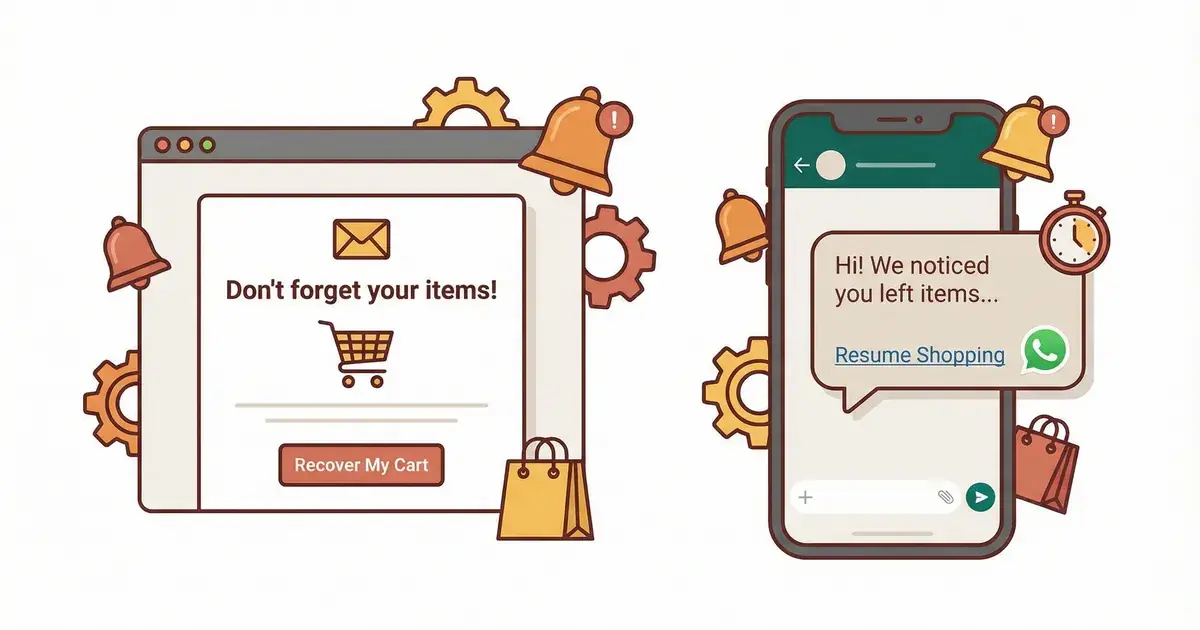
WhatsApp Abandoned Cart Recovery: 15 Templates That Convert
15 WhatsApp abandoned cart recovery templates for Shopify, written to pass Meta's review: send times, sequence length, opt-in rules and how to measure ROI.
 Nicolas ProvostMay 19, 2026 · 16 min read
Summarize this article with an AI
 ChatGPT
 Claude
Table of contents (16)
Key takeaways
- Send the first WhatsApp cart reminder about 1 hour after abandonment, then a second at 24 hours and an optional third at 48 hours.
- Keep the sequence to three messages and save any discount for the third, since discounting in message one trains buyers to wait for codes.
- Each message needs the shopper's first name, a product image, the price or cart total and one button back to a pre-filled cart.
- Meta classes cart reminders as marketing templates: send them only to shoppers who opted in, and never start or end the template text with a variable.
- Kanal sends these WhatsApp reminders automatically from Shopify checkout events, with approved templates that fill in the shopper's first name, the cart total, a product image and the link back to the cart.
Every abandoned cart is a missed sale, and the math is unforgiving. The Baymard Institute puts the average documented online shopping cart abandonment rate at 70.22 percent, an average calculated from 50 studies. Count the abandoned checkouts in your own Shopify admin and multiply them by your average order value to see how much revenue is at stake every month.
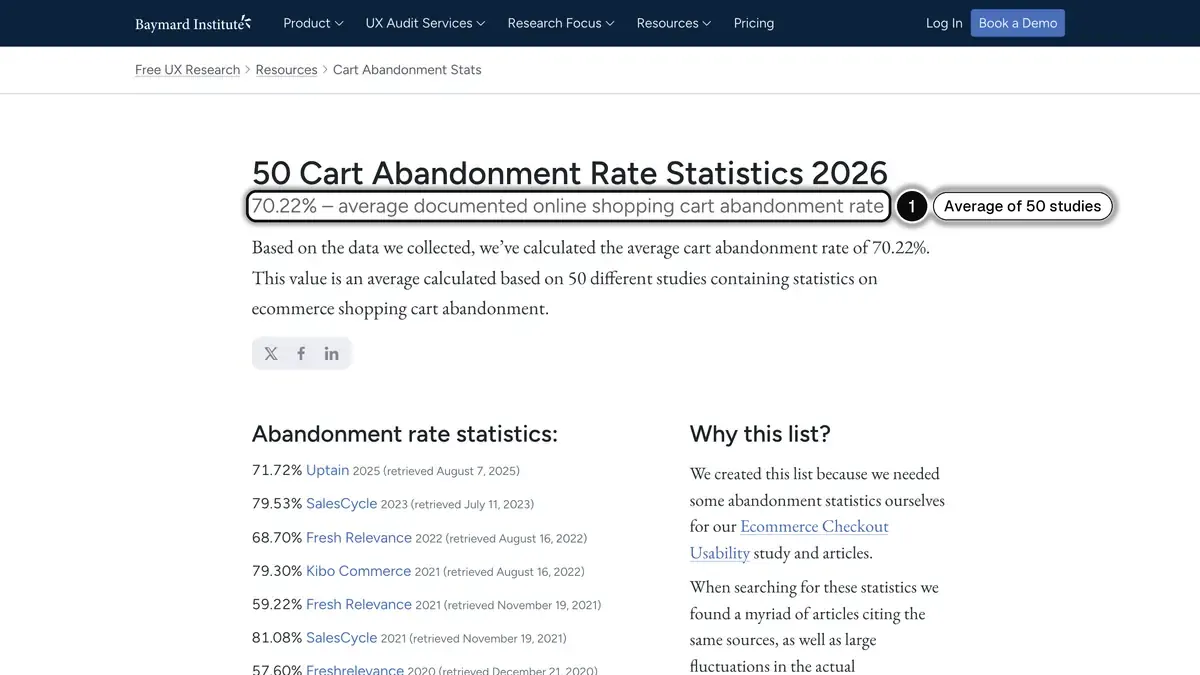 Source: Baymard Institute, cart abandonment rate statistics, read on October 23, 2026. In 1, the average rate, calculated from 50 studies.
The good news: automated abandoned cart recovery on WhatsApp brings part of those carts back when the templates, timing, and sequence are right. This guide is the operating manual: fifteen templates written to pass Meta's review, the send-time logic behind them, and the metrics that let you A/B test against your own baseline instead of guessing.
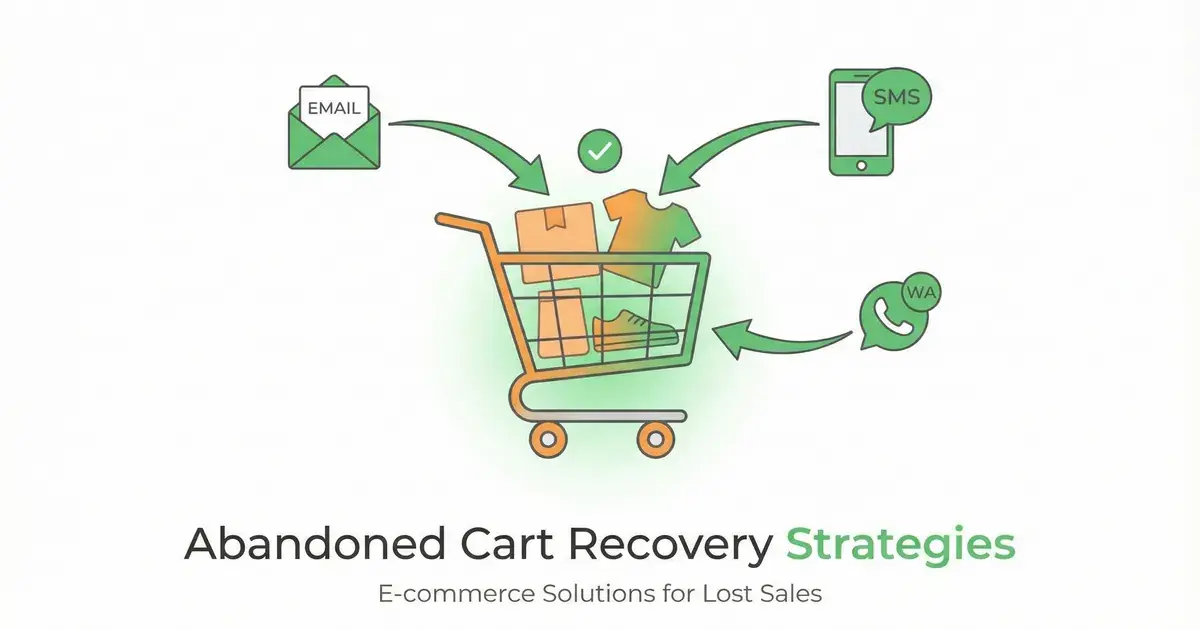
If you want a refresher on the broader recovery landscape first, our abandoned cart recovery strategies guide covers the channel mix in detail, and our comparison of abandoned cart apps for Shopify covers the tools. Still choosing a platform? See our comparison of WhatsApp marketing software. This article zooms in on WhatsApp specifically, and assumes you already run Kanal on Shopify or are about to install it.
Kanal is a WhatsApp marketing and sales app for online stores that goes deepest on Shopify, installed from the Shopify App Store and running on the official WhatsApp Business Platform. For abandoned carts, Kanal sends automated WhatsApp reminders triggered by Shopify checkout events, using approved message templates filled in with the shopper's first name, the cart total, a product image and a link back to the cart. Kanal is relevant for Shopify stores that want WhatsApp as a marketing and support channel. It sends WhatsApp and RCS messages, plus SMS on the Scale plan: email reminders stay in the merchant's other tools.
Why WhatsApp Works for Cart Recovery
WhatsApp works on three fronts. The message lands in the chat app your customers already check all day, next to messages from friends and family, so it has a real chance of being seen. It carries a product image, the price and a one-tap button, so the path back to checkout is short. And the shopper can reply, so a question does not have to end the purchase. Measure open, click and recovery rates per channel in your own reports to see how this plays out on your store.
For the platform figures we could source, see our WhatsApp marketing statistics for 2026, and for the email-versus-WhatsApp head-to-head specifically read WhatsApp vs email abandoned cart recovery. If you run an email layer alongside WhatsApp, these abandoned cart email examples give you 12 ready-to-send templates to pair with the sequence below.
The shortlist of what WhatsApp brings to cart recovery that email does not:
- The product image renders in the chat preview before the buyer taps in
- A single click-to-checkout button replaces a multi-step email funnel
- Buyers can reply with objections in real time, which a chatbot can resolve
- No spam filters, no Promotions tab, no inbox deprioritization
- The phone is already in hand at the moment of distraction
The 48-Hour Recovery Window: Send Time Strategy
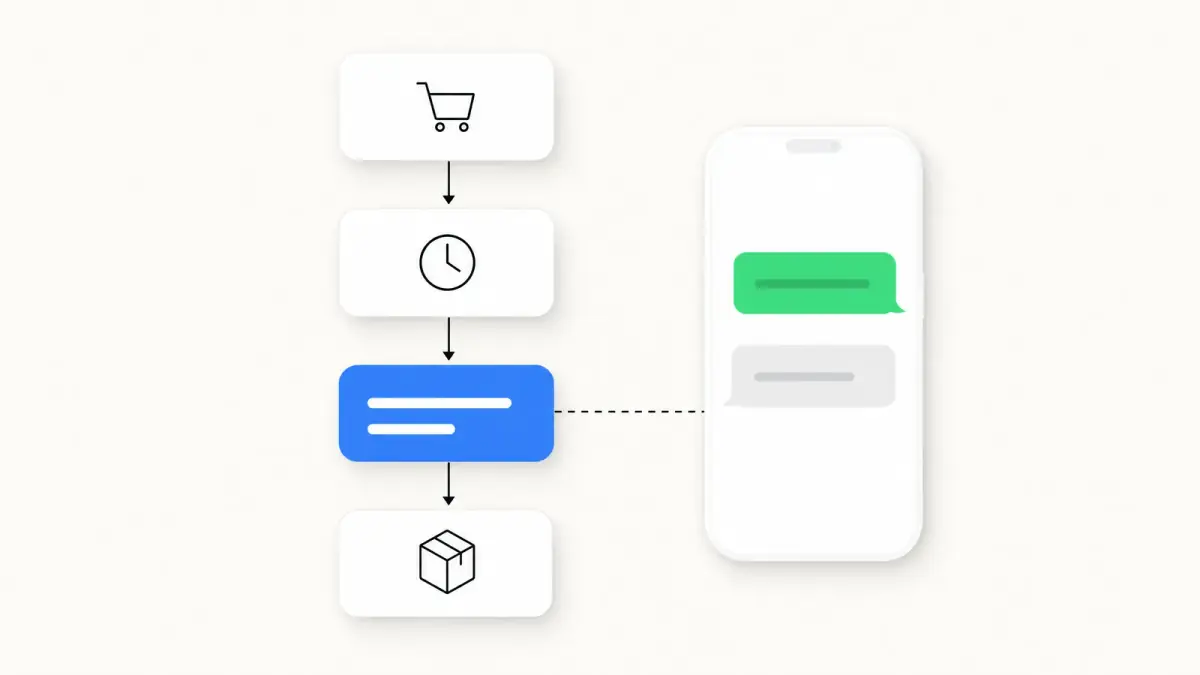
After copy, timing is the lever to get right. Send too early and you look needy. Send too late and the buyer has either bought elsewhere or moved on emotionally. A good starting point is a three-touch sequence inside a 48-hour window:
| Step | Send Time | Goal |
|---|---|---|
| Message 1 | 1 hour after abandonment | Gentle reminder |
| Message 2 | 24 hours after abandonment | Urgency / social proof |
| Message 3 (optional) | 48 hours after abandonment | Incentive / last chance |
Track recovery for each step separately: it tells you which message earns its place and where to adjust the timing or the offer. Results vary by vertical, so compare them with your own email-only baseline rather than someone else's average.
Going past three messages rarely pays off. Each extra message adds opt-out, block and report risk for a shrinking return, and blocks and reports lower your number's quality rating with Meta. Check your opt-out rate per step before adding a fourth. The compliance section below covers consent and frequency.
15 WhatsApp Cart Recovery Templates
The templates below are written to pass Meta's review. Three rules shaped them:
- They are marketing templates. Meta's template categorization guidelines list a cart reminder ("You left items in your cart") under retargeting, a marketing objective, even when the shopper asked for it. Send them only to shoppers who opted in to your WhatsApp messages, and expect the marketing rate of each shopper's country.
- Variables sit inside sentences. Meta's template review rejects a template whose text starts or ends with a variable, or that carries too many variables for its length. Every template below opens and closes on fixed text.
- Images and buttons are components, not text. The product image goes in the media header and the link back to the cart in a URL button, whose label is limited to 25 characters, and a discount code fits a copy code button, one per template (Meta's template components). Every button label below fits that limit.
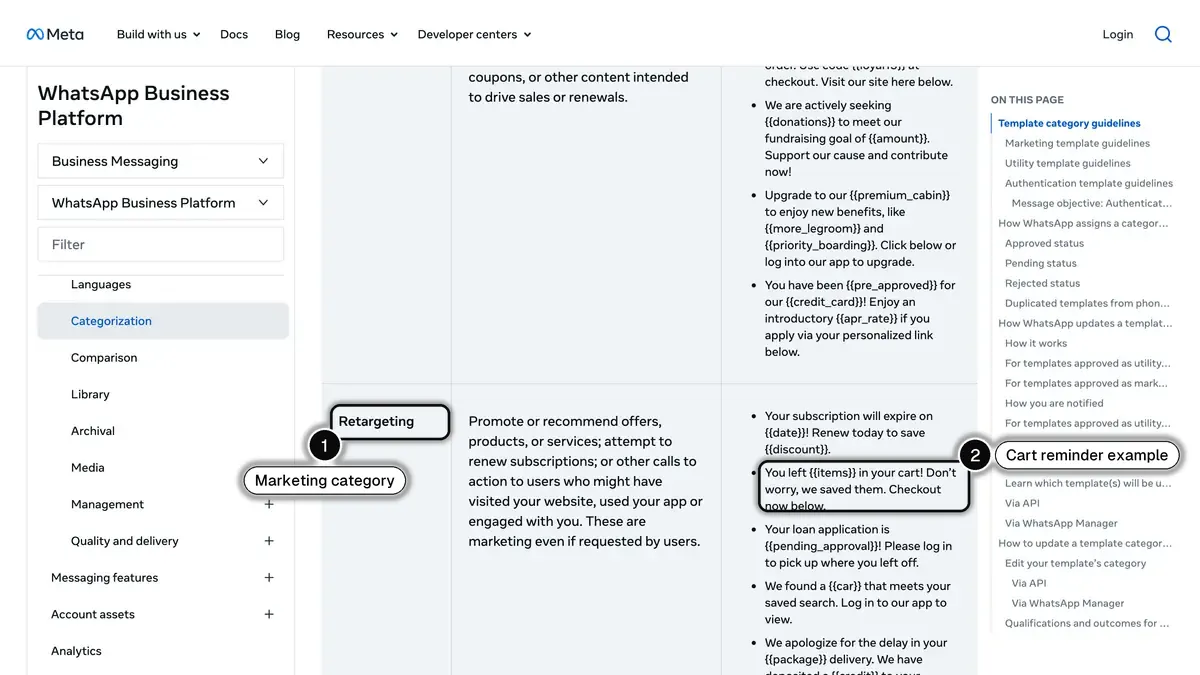 Source: Meta, template categorization guidelines for the WhatsApp Business Platform, read on October 23, 2026. In 1, the retargeting objective, a marketing category; in 2, Meta's cart reminder example.
Placeholders in double curly braces, such as {{first_name}}, show where personal data goes; Meta accepts named variables written in lowercase with underscores. In Kanal, you insert them with the Add a variable button when you write the template, and an abandoned cart flow can fill in the shopper's first name, the cart total, a product image for the header and the link back to the cart (Kanal's list of automation variables). Write anything else, such as a product name, a review or a stock count, as fixed text or take it from another tool.
Category 1: The Gentle Reminder (Message 1, 1 Hour)
Template 1, Helpful and Neutral
Hey {{first_name}},

You left this in your cart at {{brand_name}}: {{product_name}} for {{price}}.

Want me to hold it for you? One tap to check out:
[Button: Complete my order]

Any questions, just reply here.
When to use it: categories where the brand voice is conversational (beauty, fashion, lifestyle).
Template 2, Product-Forward
[Header: product image]

Hi {{first_name}}, your {{product_name}} is waiting.

It costs {{price}} and ships in {{shipping_time}} business days.

[Button: Resume checkout]
When to use it: when the product image is the hero of the purchase decision (fashion, jewelry, home).
Template 3, Soft Personal
Hi {{first_name}}, this is {{agent_name}} from {{brand_name}}.

I noticed you were looking at {{product_name}} earlier and wanted to check in.

Did you have any questions about sizing or shipping?

[Button: View my cart]
When to use it: when you want conversations, not just clicks. Its real value is the replies: a shopper who answers with a question about sizing or shipping can get an answer from a WhatsApp AI chatbot in seconds. Track the reply rate as well as clicks.
Category 2: Social Proof and Reassurance (Message 1 or 2)
Template 4, Review-Backed
Hi {{first_name}}, here is what a verified buyer wrote about {{product_name}}:

"{{review_quote}}"

Your cart is still saved, ready when you are.
[Button: Complete my order]
When to use it: when the product has strong reviews. Pull a real review from your review app, never an invented one, and keep the quote short so the message still fits a phone preview.
Template 5, Bestseller Anchor
Hi {{first_name}}, {{product_name}} is one of our best sellers this month.

We have already had to restock it.

Save your spot before the next sellout:
[Button: Check out now]
When to use it: only when the product genuinely sells fast. If you cry wolf, opt-outs climb.
Template 6, Guarantee-Led
Hi {{first_name}}, still thinking about {{product_name}}?

We've got you covered:
- Returns: {{return_policy}}
- Delivery: {{shipping_promise}}
- Real people on WhatsApp if anything's off

[Button: Complete my order]
When to use it: categories where return anxiety is the main objection (apparel sizing, beauty shade matching).
Category 3: Urgency and Scarcity (Message 2, 24 Hours)
Template 7, Stock Countdown
Hi {{first_name}}, only {{stock_left}} left of {{product_name}}.

We can't hold it forever:
[Button: Grab it now]
When to use it: only when stock data is real. Faked scarcity damages trust permanently.
Template 8, Time-Boxed Cart Hold
Hi {{first_name}}, we kept your cart open for 24 hours.

It expires in {{hours_left}} hours.

Finish your order before it resets:
[Button: Complete checkout]
When to use it: only if your store really holds the stock or the price for that period. Shopify carts do not expire on their own, so do not announce a deadline that does not exist.
Template 9, Price-Lock
Hi {{first_name}}, the price you saw is locked for {{hours_left}} more hours.

{{product_name}} stays at {{price}} until then.

[Button: Lock my price]
When to use it: when prices fluctuate (electronics, travel) or before a known sale ends.
Category 4: Objection Handlers (Message 2)
Template 10, Free Shipping Trigger
Hi {{first_name}}, almost there.

Add {{amount_to_free_shipping}} more and shipping's on us.

Or just finish your order as is:
[Button: View cart]
[Button: Browse more]
When to use it: when shipping cost is the likely objection. In the Baymard Institute's survey of US online shoppers, extra costs too high (shipping, tax, fees) are the top reason for abandonment, at 40 percent, once the "just browsing" segment is set aside.
Template 11, Sizing Help
Hi {{first_name}}, unsure about sizing for {{product_name}}?

I can help. Just reply with your usual size and I'll confirm the fit.

Or check out if you're ready:
[Button: Complete order]
When to use it: fashion and any category where fit decides the purchase. Combine it with a chatbot that handles size questions automatically (see our chatbot WhatsApp e-commerce guide for setup), and track how many of those replies turn into orders.
Category 5: The Incentive (Message 3, 48 Hours)
Template 12, Soft Discount
Hi {{first_name}}, last call on your cart.

Here's {{discount_value}} off if you finish today, with the code {{discount_code}}.

[Button: Copy code]
[Button: Back to my cart]

The code is valid for 24 hours.
When to use it: message three only. Discounting in message one trains buyers to wait for codes and erodes margin over time. On the Scale plan, Kanal's Generate discount code action creates a unique Shopify code for each shopper, with the value and validity you set.
Template 13, Free Shipping Promo
Hi {{first_name}}, free shipping is on us if you check out by midnight.

Your cart total stays {{cart_total}}, with nothing to add.

[Button: Back to my cart]
When to use it: as an alternative to a percentage discount. It is often cheaper for you, and it answers the same extra-cost objection as Template 10.
Template 14, Bundle Bump
Hi {{first_name}}, {{recommended_product}} goes well with what's in your cart.

Add it today and we'll take 15 percent off the lot.

[Button: Add and save]
When to use it: when you want to lift order value, not just recover the cart. Judge it on revenue per send rather than recovery rate alone.
Category 6: Last Chance (Message 3, 48 Hours)
Template 15, Final Send
Hi {{first_name}}, this is our last note about your cart.

If now's not the time, no worries, we'll be here when you're ready.

If you'd like to wrap it up: [Button: Complete order]
When to use it: as the graceful exit. It sets the tone for a long-term relationship rather than a pressured close, and a polite goodbye gives shoppers less reason to opt out.
Build Your Own Recovery Benchmark
Recovery rates vary by vertical, order value and opt-in quality, and there is no independent public benchmark for WhatsApp cart recovery: vendor figures are not audited. The benchmark that matters is your own:
- Baseline: your recovery rate with your current flow (often email only), measured over the same period.
- Per-step recovery: carts recovered after each message, divided by carts that received it.
- Holdout group: a small random share of abandoners who get no WhatsApp message, so you measure the lift rather than the buyers who would have come back anyway.
- Per-category split: if you sell across categories, compare them separately.
If recovery stalls, look first at the copy of message one before extending the sequence. If it is low from the start, check send timing and template approval status.
Compliance and Opt-In
Three rules to keep your Meta account safe and your customers happy:
- Explicit opt-in is mandatory. Meta's WhatsApp Business Messaging Policy only lets you message people who gave you their number and opted in to receive your messages, and a phone number entered at checkout for order updates does not count. Use a separate, unticked WhatsApp consent checkbox, or a WhatsApp QR code and WhatsApp click-to-chat link for inbound opt-in. Kanal does not read Shopify's consent checkbox and only leaves opted-out contacts out of its sends, so record consent in Kanal, as its checkout opt-in guide explains. Our opt-in compliance guide covers GDPR specifics.
- Make opting out easy. Add a footer such as "Reply STOP to unsubscribe". In Kanal, the opt-out keywords set in Settings switch a shopper who replies STOP to opted out, and an opted-out contact receives no automation message after that.
- Reasonable hours. Send during local daytime hours, for example between 9 a.m. and 8 p.m., and check the local rules on commercial messages in each country you sell to.
How to Set This Up in Under an Hour
If you're already on Shopify the entire setup takes under an hour, not counting Meta's template review:
- Install Kanal from the Shopify App Store and connect your number through Meta's sign-up window: you do not need API access beforehand, as our guide to connect WhatsApp to Shopify shows step by step. Our WhatsApp Business API guide explains what the API adds.
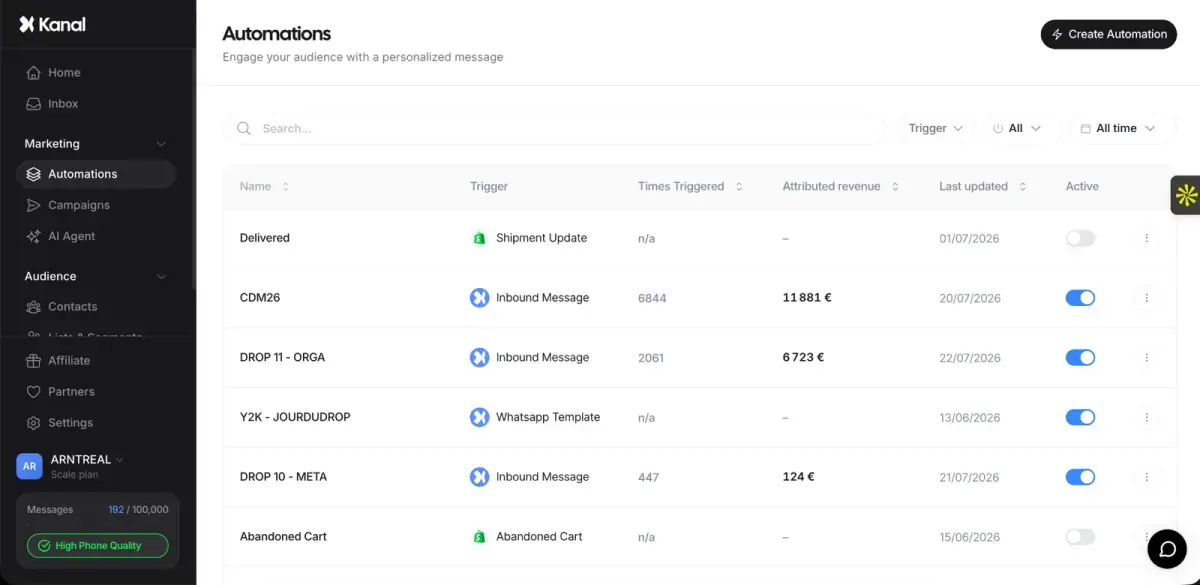
- In Automations, click Create automation and choose the Abandoned cart trigger, from a library template or from scratch.
- Write the templates you picked directly in the automation editor and submit them. Meta's review can take up to 24 hours.
- Set the waits: message 1 at +1 hour, message 2 at +24 hours, message 3 at +48 hours.
- Connect Klaviyo for the email layer (see our Klaviyo WhatsApp integration guide for setup steps).
- Check the stop rule: in Kanal, when the shopper places an order after the flow has started, the next reminders are not sent.
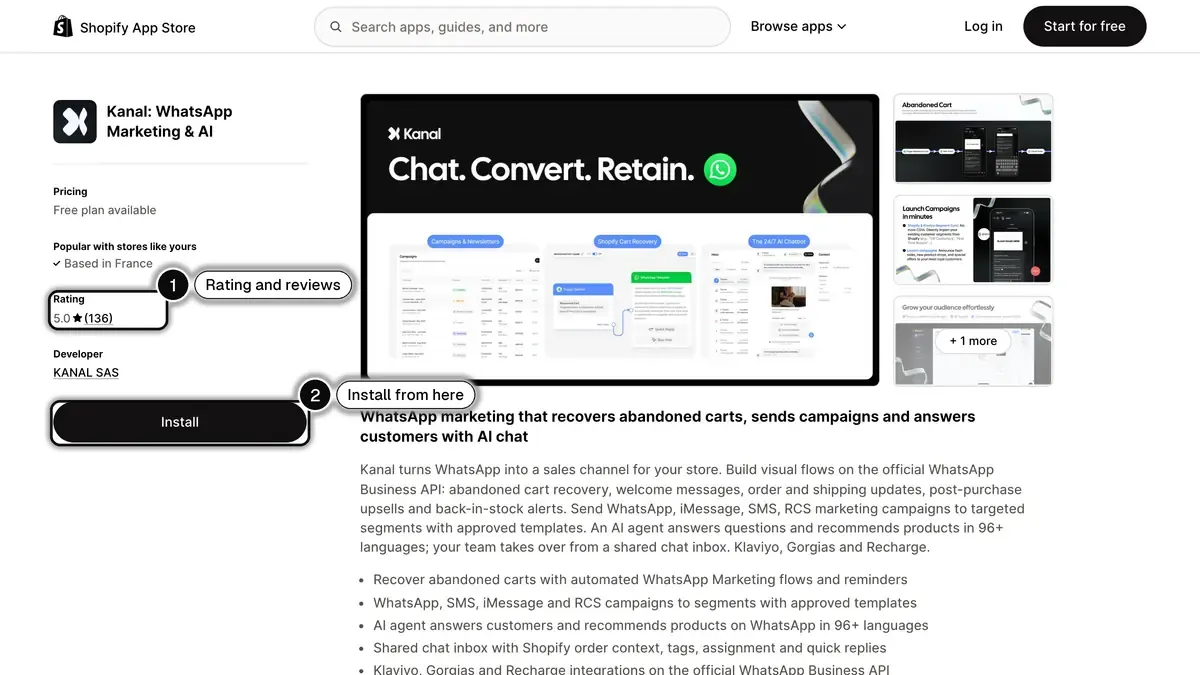 Source: Kanal listing on the Shopify App Store, read on October 23, 2026. In 1, the rating and number of reviews; in 2, the Install button.
Common Mistakes That Tank Recovery Rates
The recurring mistakes we see across merchant audits:
- Sending the first message too late. The longer you wait, the colder the intent. Stick to 1 hour.
- No product image. The photo reminds the buyer what they wanted in a way text cannot. Always include the product photo in the header.
- Generic "you left something behind." Personalize with name, exact product, and price or cart total.
- Discounting on message one. Trains buyers to wait. Save it for message three.
- No cart link. Send the buyer to a pre-filled cart URL, not the homepage. Shopify generates this automatically.
- A template that starts or ends with a variable. Meta's review rejects it, as it does a template with too many variables for its length or a shortened link.
- No plan for shoppers without WhatsApp consent. Keep your email reminders for shoppers who did not opt in to WhatsApp. On the Scale plan, Kanal also sends RCS and SMS messages from the same app.
- Never A/B testing. A simple two-variant test on copy or timing tells you what works on your audience instead of guessing.
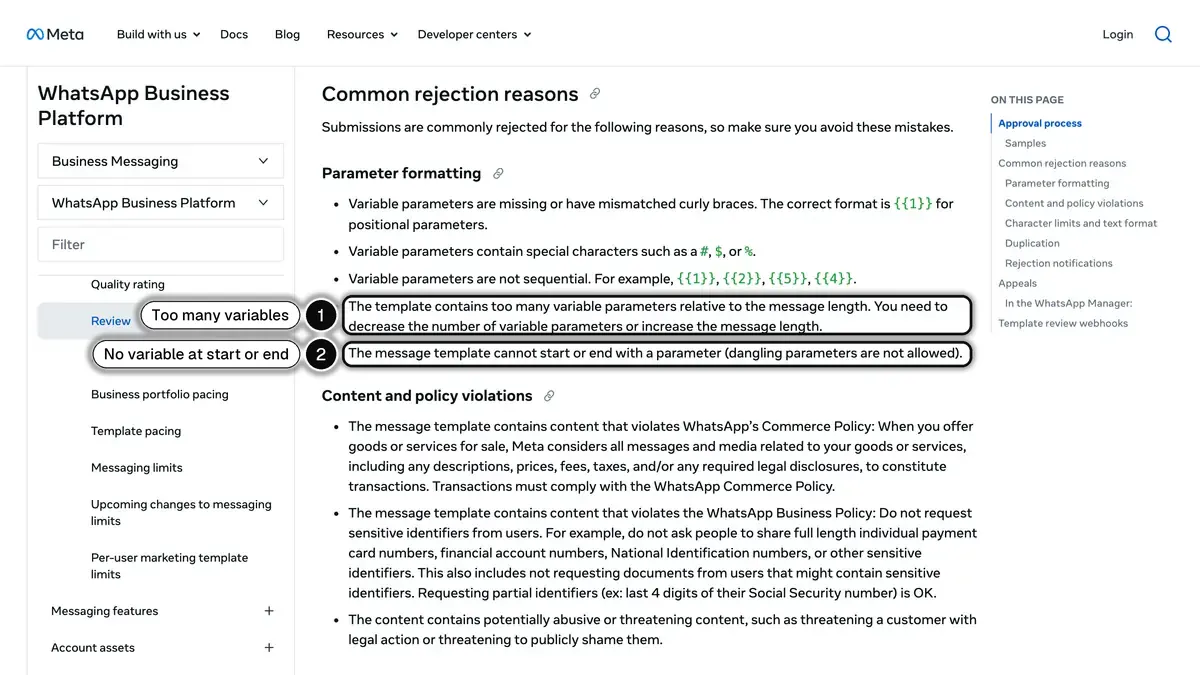 Source: Meta, template review documentation for the WhatsApp Business Platform, read on October 23, 2026. In 1, too many variables for the message length; in 2, a variable at the start or end of the template.
Measuring Cart Recovery ROI
Three KPIs are non-negotiable when reporting cart recovery performance:
- Recovery rate: recovered carts divided by abandoned carts
- Revenue per send: revenue attributed to the flow divided by total messages sent
- ROAS: revenue divided by total cost (Kanal subscription plus Meta fees on every delivered template message)
There is no independent public benchmark for WhatsApp cart recovery ROAS. A channel that costs almost nothing per send, like email, shows a high ratio mechanically, so compare the absolute revenue recovered per channel as well as the ratio. Plug your own numbers into our ROAS break-even calculator to see where your store lands.
For the full KPI framework see our WhatsApp marketing ROI KPIs benchmarks guide.
Real-World Example: Jean Fourche
Jean Fourche, a premium bike and apparel brand, set up Kanal's automated WhatsApp recovery flows. As detailed in our case studies, the brand recovered 42 percent of its abandoned carts with WhatsApp, outperforming email by 8x, with a 96 percent open rate and a 14X ROI.
One brand is not a benchmark: your results depend on your opt-in rate, your products and your offer. Run the sequence on your own store, keep a holdout group, and compare it with your email-only baseline.
For campaign ideas beyond cart recovery, browse our WhatsApp marketing examples.
Resources
- Kanal pricing, compare plans and simulate your total cost, WhatsApp fees included
- Book a demo, a walkthrough of cart recovery on your own store
Related reading: WhatsApp post-purchase playbook | Back-in-stock WhatsApp alerts in Kanal | WhatsApp business templates | Conversational commerce guide
See Kanal on your own store
- Your campaigns and cart reminders on WhatsApp, starting from your own store
- Post-purchase offers, back-in-stock alerts, then the AI agent that advises your customers
- You leave with the plan that fits and its price
From €89/month
- brands
- 500+
- to set up
- 5 min
- open rate on WhatsApp
- +90%
Nicolas helps e-commerce brands grow revenue with WhatsApp marketing. With deep expertise in Shopify ecosystems and conversational commerce, he shares proven strategies for abandoned cart recovery, broadcast campaigns, and AI-powered customer engagement.