WhatsApp Channels: List, Link and Business Guide (2026)
WhatsApp Channels for business: find the channels list, create a channel, share its link, read its insights, and compare Channels with newsletters.
 Nicolas ProvostMay 26, 2026 · 14 min read
Summarize this article with an AI
 ChatGPT
 Claude
Table of contents (13)
Key takeaways
- A WhatsApp Channel is a free, public, one-way feed in the Updates tab where only admins post and followers can only react, vote in polls or answer quizzes.
- Channels have no API, no automation and no segmentation in 2026, so every post is published by hand and seen by all followers.
- Channel insights show growth, reach and reactions, are delayed by about a week and are not available below 100 followers.
- Use a Channel for free reach and brand affinity, and a newsletter on the Business API for segmented, automated sends that land in the chat list.
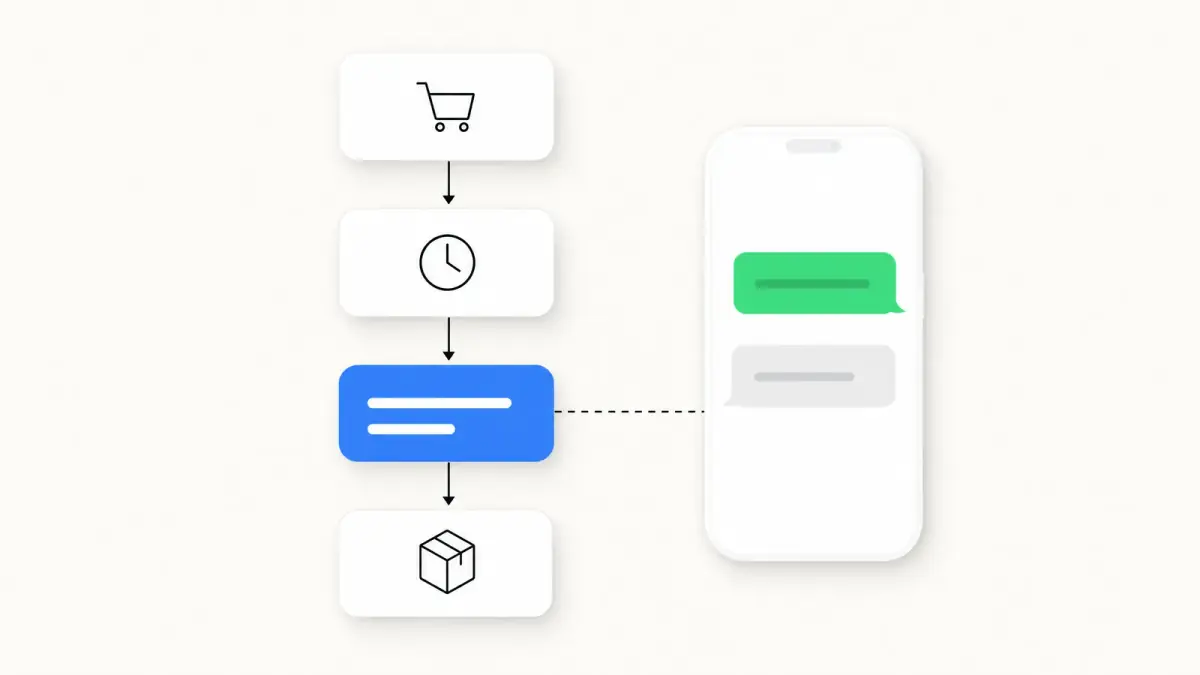
WhatsApp Channels are Meta's one-way broadcast feature, opened to over 150 countries on September 13, 2023. A Channel is a public, follow-able profile from which only the admins post. Followers see updates in a dedicated Updates tab, separate from their chats. There is no two-way conversation, no replies in chat, and no API. Channels are how brands build a free, owned audience on WhatsApp without paying per-message under the Business API. This guide covers what Channels can and cannot do, how they differ from a WhatsApp Newsletter or a Broadcast list, and when a Shopify brand should ship one.
Channels vs Groups vs Broadcast Lists vs Newsletter
Four formats, often conflated, very different mechanics. Pick the wrong one and you spend a quarter rebuilding. WhatsApp Status is a fifth, lighter option: see our WhatsApp Status ideas for business for what it does well.
| Format | Direction | Reply mechanic | Max audience | Cost | API |
|---|---|---|---|---|---|
| WhatsApp Channel | One-way (admin only) | Reactions, polls, quizzes (no chat) | No announced cap, public | Free | None in 2026 |
| WhatsApp Group | Many-to-many | Open chat, all members visible | 1024 members | Free | None |
| Broadcast list (free app) | One-way push | Private reply per recipient | 256 contacts per list | Free | None |
| Newsletter via Business API | One-way push, two-way reply | Private chat reply | Opted-in contacts | Per delivered message | Yes |
Each format was built for a different stage of the relationship with the customer.
- Channels are for free brand reach. No automation, no segmentation, no Shopify trigger. Followers opted in by tapping Follow.
- Groups are for small clusters with active two-way chat, up to 1024 members according to WhatsApp's Help Center. Almost never the right surface for e-commerce marketing because members see each other in the group; our guide on how to create a WhatsApp group covers when one still makes sense.
- Broadcast lists are the entry-level free-app push, limited to 256 contacts per list and only delivered to recipients who saved your number.
- Newsletter via Business API is the paid, automation-friendly surface for scale and measurement.
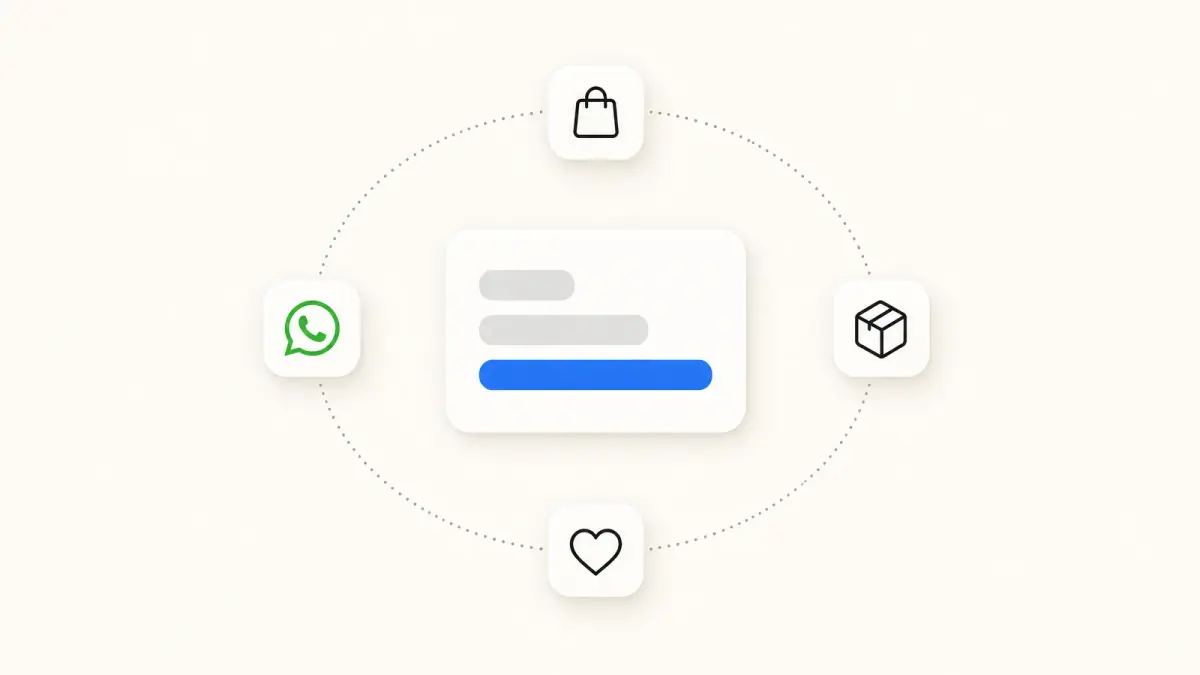
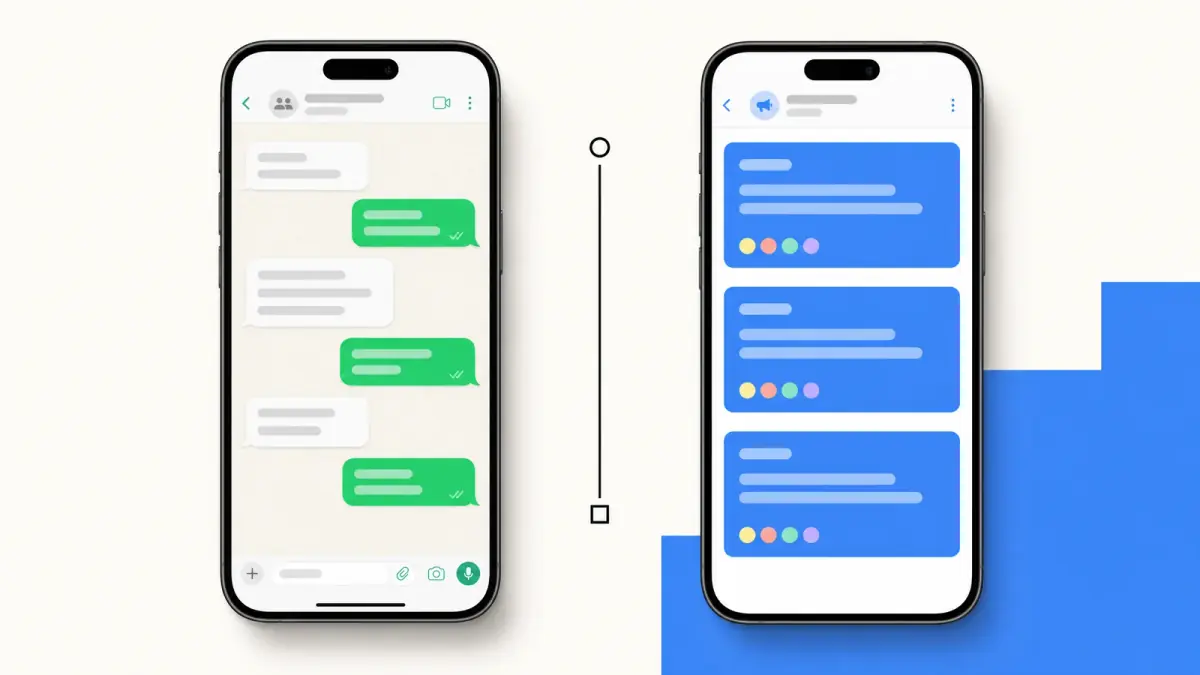
The most important pair to disambiguate: Channels vs Newsletter. Channels are free, public, one-way with reactions only. A WhatsApp newsletter is paid, private, two-way capable, automation-driven. The two work well together: Channels for top-of-funnel reach, Newsletter for measurable conversion.
How Channels Work for Followers
The follower experience is closer to Instagram Stories than to a chat. Four mechanics:
Separate Updates tab. Channel posts land in a tab distinct from chats, not in the chat list.
Reactions, polls and quizzes only. WhatsApp's About WhatsApp Channels page says followers cannot reply directly to updates or send messages to channel admins: they react with emojis or vote in polls, and admins can also post quizzes. To message the brand, the follower uses the separate Business chat.
Notifications muted by default. Each follower decides whether to turn on notifications for your Channel, so only part of your audience is alerted when you post. Follower count is not a notification reach.
Public profile. Public URL (whatsapp.com/channel/<id>), description and icon. Updates can be forwarded to chats, and a forwarded update carries a link back to the channel.
WhatsApp channels list: where to find the directory and how discovery works
The list of WhatsApp channels lives inside the app: open the Updates tab and tap Explore. From there, according to WhatsApp's Help Center (read on October 23, 2026), you can:
- browse by category and filter channels by topic;
- sort channels by what is new, popular or most active;
- change your region to see the channels available in other countries;
- search for a channel by name.
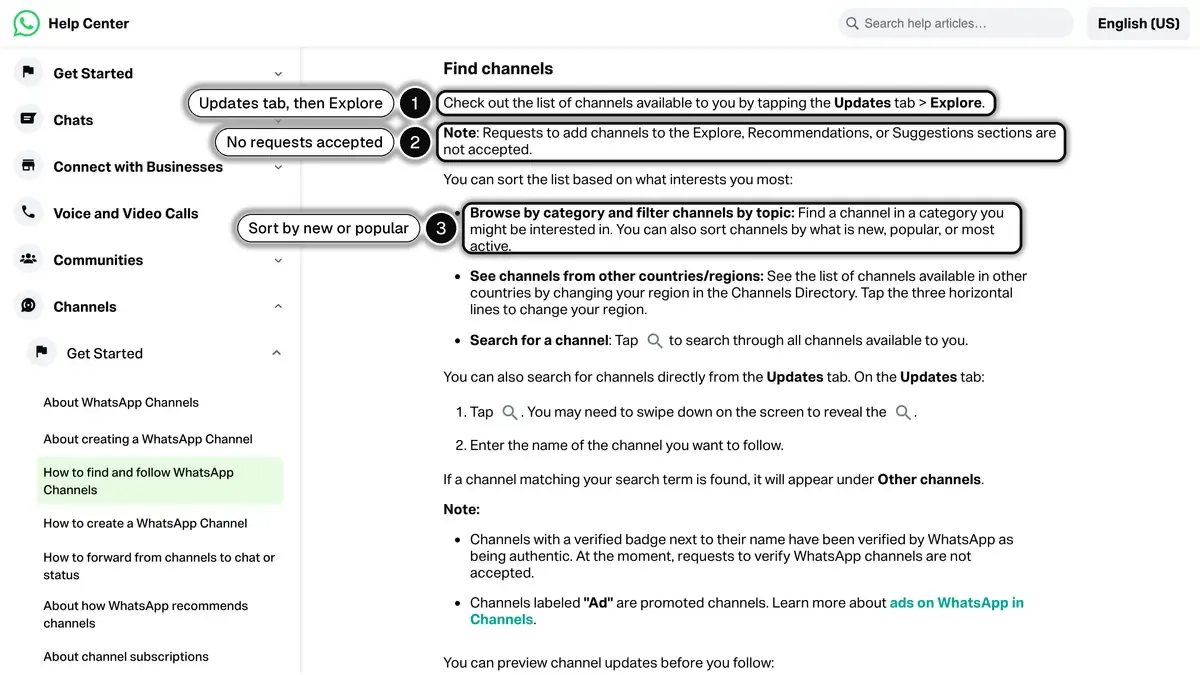 Source: WhatsApp Help Center, How to find and follow WhatsApp Channels, read on October 23, 2026. In 1, the directory opens from the Updates tab; in 2, WhatsApp does not accept requests to be listed; in 3, the sort options.
The list you see is filtered by your country and language. If a channel does not show up in Explore, search for its exact name or ask its admin for the direct link. Channels labeled "Ad" are promoted channels, and a verified badge next to a name means WhatsApp has verified the channel as authentic.
For a brand, two rules matter. First, there is no application form: WhatsApp states that requests to add a channel to Explore, Recommendations or Suggestions are not accepted. Second, recommendations are computed. WhatsApp lists the signals its system may consider:
- the channel's updates, its number of followers, the reactions to its updates and how often it posts;
- how similar its content is to that of popular channels;
- the viewer's general location and language, which WhatsApp says have the biggest influence;
- the viewer's own activity on channels.
WhatsApp gives no thresholds for any of these, so treat a "minimum posting frequency" you read elsewhere as a guess.
Outside the directory, the bigger discovery driver is the share link. Channels are shared inside chats and groups frequently because the format is lightweight. Put the Channel link on packaging, in the WhatsApp link of your bio, and in checkout confirmation emails rather than relying on the directory alone, then compare weekly follower growth before and after each new placement.
How to get and share your channel link
In the Updates tab, open your channel, then open its menu. Tap Copy link to paste the link anywhere, Share link to send it through another app, Send link via WhatsApp to forward it to up to five chats or groups, Share to my status, or QR code to save or print a code that opens the channel, as described in WhatsApp's How to share your channel page. For where to print that code and how to track its scans, see our WhatsApp QR code guide.
How to Create a WhatsApp Channel
The setup is short. Five steps, following WhatsApp's Help Center (read on October 23, 2026):
- Open WhatsApp on the phone that will host the admin account. This must be a real phone number you control. Channels are created in the WhatsApp app, and WhatsApp says you can also access them from the WhatsApp Business app; there is no Channels API on the WhatsApp Business Platform.
- Tap the Updates tab, then the plus icon, then Create channel, and tap Continue.
- Add a channel name, an optional description and an optional icon. You can change all three at any time.
- Tap Create channel. WhatsApp then offers to send invites to your contacts: select contacts, or tap Skip and invite people later.
- Publish your first posts. Do not let the Channel sit empty after creation. Have a few posts ready before you share the link.
You can invite up to 16 additional admins to help you manage the channel: they can change its info and settings, publish, edit and delete updates, and see its metrics.
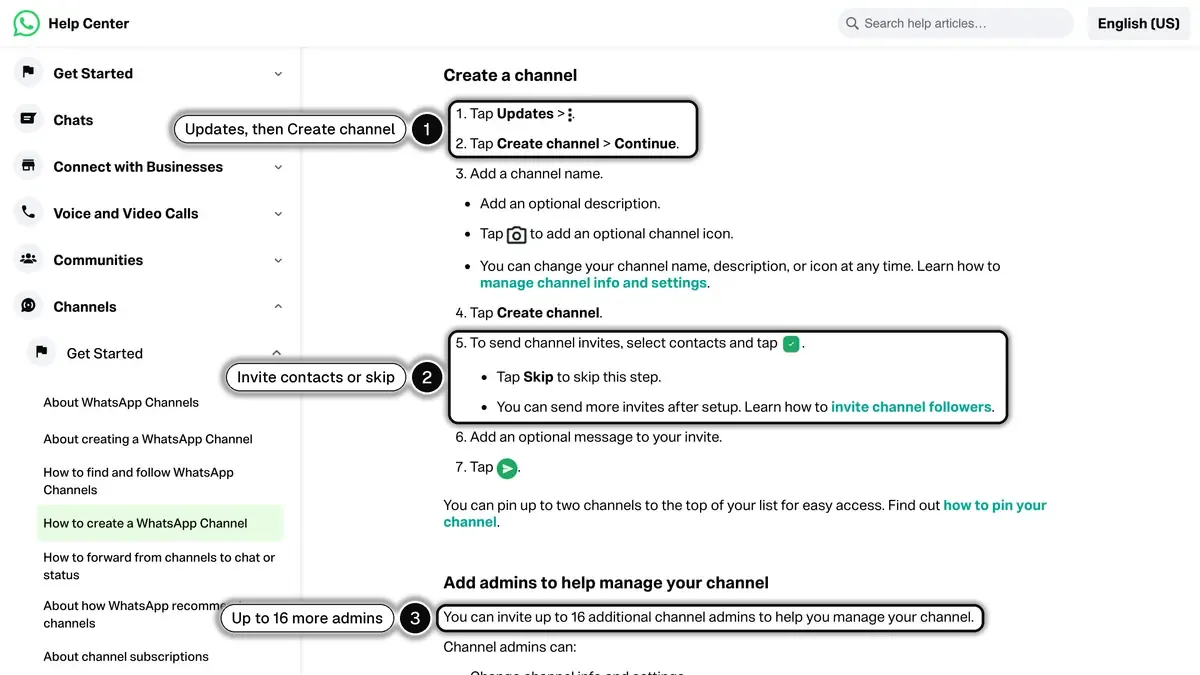 Source: WhatsApp Help Center, How to create a WhatsApp Channel (Android), read on October 23, 2026. In 1, the channel starts from the Updates tab; in 2, invites are optional; in 3, up to 16 more admins.
Can a business get a verified channel?
Not by asking for it. WhatsApp says channel verification is not publicly available and that requests to verify channels are not accepted. The route that exists is Meta Verified for Business on WhatsApp, a paid subscription offered to some businesses on the WhatsApp Business app: its plans list verified channels among their benefits, from one on Business Standard to ten on Business Max. Our guide to the WhatsApp green tick covers how verification works for the business account itself.
The admin account hosting the Channel is a normal WhatsApp account. WhatsApp says an admin's number is not visible to channel followers, but the account is still tied to that number. Host the Channel on a dedicated phone number rather than the personal number of a team member.
Best Practices for E-commerce Brands
A Channel is a different content surface from a Newsletter. Starting points to test, then adjust to your own follower data:
Frequency. Pick a posting rhythm you can hold every week rather than bursts followed by silence. WhatsApp lists posting frequency among the signals its recommendations may consider, without giving a threshold.
Content mix. Mostly product (drops, restocks, looks) and brand content (behind-the-scenes, founder, customer features), with a smaller share of direct offers. Pure-sales Channels get muted fast.
Lead with the image. Hero image carries the message. Keep captions short, with a link.
Polls and quizzes on a regular basis. A poll gives followers an easy reason to interact and surfaces variant preferences: WhatsApp allows up to 12 options per poll.
Track net follows, not daily swings. Channel insights show growth, reach and net follows over the past 30 days, and WhatsApp says the numbers may be delayed by about a week and are not available for channels with fewer than 100 followers (How to see channel metrics and insights).
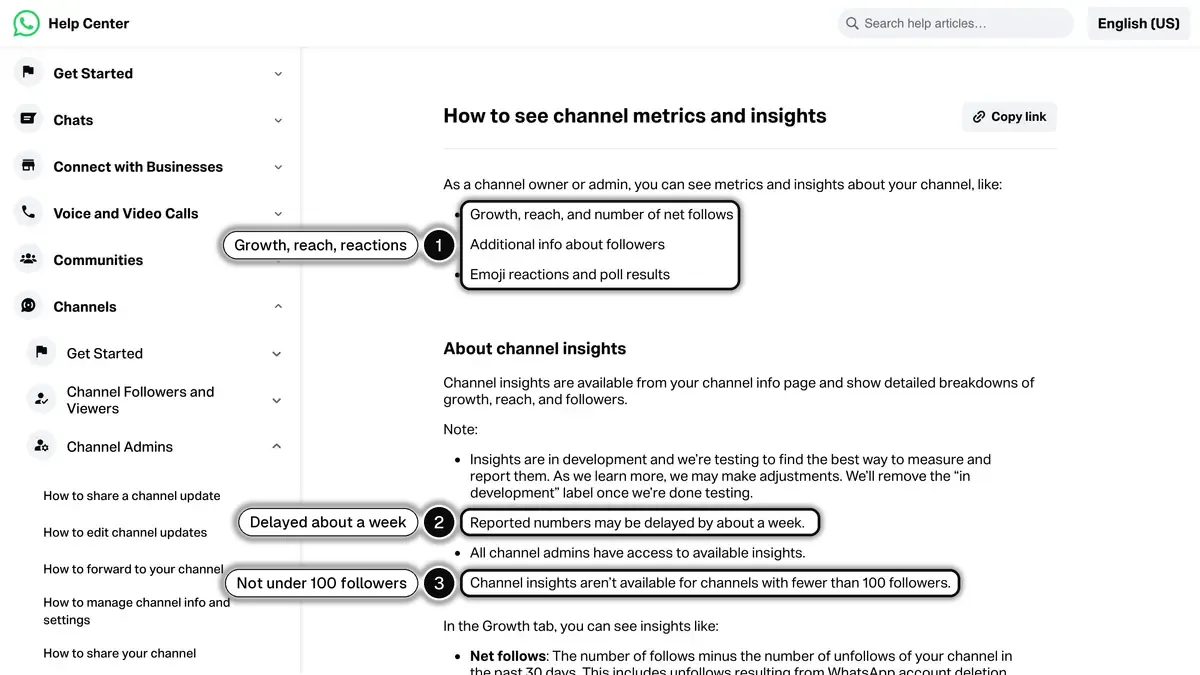 Source: WhatsApp Help Center, How to see channel metrics and insights, read on October 23, 2026. In 1, what admins can see; in 2, the reporting delay; in 3, no insights below 100 followers.
Anchor to product launches. Run an announcement, teaser, poll, drop sequence, and add UTM parameters to the links in your posts to see how much launch-day revenue the Channel brings. See our Black Friday WhatsApp playbook.
Channels vs Newsletter via Business API
The most important strategic question for a Shopify brand is when to use a Channel and when to use a paid Newsletter. Both exist on WhatsApp. They serve different goals.
| Dimension | Channel | Newsletter (Business API) |
|---|---|---|
| Cost | Free | Per delivered message, rate by country and category |
| Direction | One-way, reactions and polls only | One-way send, two-way reply possible |
| Audience | Public followers, can be discovered | Opt-in subscribers, requires opt-in flow |
| Where it lands | Updates tab (separate from chats) | Customer's main chat list |
| Automation | None in 2026 | Triggered by Shopify events |
| Segmentation | None | Segments, for example by number of orders |
| Reply mechanic | Reactions, polls only | Free-text two-way chat |
| Use it for | Top-of-funnel reach, brand affinity | Conversion, transactional ROI |
The clearest mental model: Channels are a megaphone, Newsletter is a one-to-one CRM. Each does one job well, so the real question is not which one to pick but how to stack them.
A sensible stack for a Shopify store that runs both:
- Channel (free): brand awareness, drop teasers, content marketing, polls, story moments
- Newsletter via the Business API: segmented sends, abandoned cart recovery, back-in-stock alerts, post-purchase automations, click-to-WhatsApp ads follow-up
- Customer support chat via same API: replies to incoming queries
Channel Ideas by Vertical
Content patterns to adapt to your own catalog:
Fashion drops. Lookbook teasers, drop reminders, and short-form video, with short captions that let the image carry the message.
Beauty. A mix of product education, restocks, and founder content, with polls to surface shade and SKU preferences before launches.
Food and beverage. Recipe content, behind-the-scenes, and flash drops.
Sports and creators. A bridge between an Instagram audience and a paid newsletter or subscription, with promo codes in posts to monetize and to measure what the Channel drives.
What ties these patterns together: consistent voice, image-first feed, narrow product category, and a clear path off the Channel into a paid surface.
Limitations and What to Plan Around
What Channels do not do in 2026:
- No API, no automation. Posts must be published manually. No Klaviyo integration, no Shopify event trigger, no webhook.
- No segmentation. Every follower sees every post. You cannot send to "VIP" or "France only" segments.
- No two-way chat from a follower. If a follower wants to ask a question, they must message the brand on a separate surface.
- Limited analytics. Insights cover net follows, accounts reached, top regions, views per update, emoji reactions and poll votes. WhatsApp's help page lists no link click, open rate or sales metric, so tag your links with UTM parameters to see what a post sells.
- No native CTA buttons. Posts can include links, but there is no template-style structured button. Conversion happens via plain links.
- Light moderation tools. WhatsApp says it is not possible to remove channel followers. Admins can choose which emoji reactions are allowed.
These constraints are intentional. Channels are a brand-affinity surface, not a CRM. If you need real automation, attribution, or segmentation, you need the WhatsApp Business API and a Newsletter setup.
When to Choose Channels vs Newsletter for Your Store
A short decision framework:
Start with a Channel if you do not have a Business API setup yet. It costs nothing to create and tells you whether your audience follows you on WhatsApp at all.
Start with a Newsletter if you already collect opted-in phone numbers and want sends you can segment, automate and tie to orders. The Business API runs through a BSP like Kanal or one of the alternatives. Weigh what each send costs against the revenue it brings in.
Run both once the newsletter is live. The Channel builds top-of-funnel reach. The Newsletter drives measurable revenue. They reinforce each other.
How Kanal Complements WhatsApp Channels
Kanal does not host Channels (Channels live inside the WhatsApp app and Meta does not expose a Channel API). What Kanal does is run everything around the Channel.
- Newsletter on the Business API for segmented, automation-driven sends (WhatsApp campaigns)
- Keyword-triggered welcome flows for people who message you from a click-to-WhatsApp ad, a QR code or a link
- Shopify integration that connects order, cart, and customer events to messaging automations (Shopify integration)
- AI chatbot for replies to incoming customer messages (AI chatbot)
- A WhatsApp link generator for the click-to-chat links you put in your bio, on packaging, and in email footers
When both run together, the Channel feeds the Newsletter: a post with an opt-in link invites followers to subscribe to messages you can segment and automate. See pricing and book a demo to see the integrated setup.
Getting Started
If your store does not already have a WhatsApp presence, start with a Channel. It costs nothing and shows whether your audience engages on the surface. Once followers react to your posts and answer your polls, layer on a Newsletter via the Business API.
If you are on Shopify, install Kanal for the Newsletter side: setup takes 5 minutes and plans start from €89/month. Channels you set up directly from the WhatsApp app, then promote the join link through your existing channels (bio, packaging, email footer).
See Kanal on your own store
- Your campaigns and cart reminders on WhatsApp, starting from your own store
- Post-purchase offers, back-in-stock alerts, then the AI agent that advises your customers
- You leave with the plan that fits and its price
From €89/month
- brands
- 500+
- to set up
- 5 min
- open rate on WhatsApp
- +90%
Nicolas helps e-commerce brands grow revenue with WhatsApp marketing. With deep expertise in Shopify ecosystems and conversational commerce, he shares proven strategies for abandoned cart recovery, broadcast campaigns, and AI-powered customer engagement.