Shopify Sidekick: Features, Cost and App Extensions (2026)
What Shopify Sidekick does in your admin, whether it is free, which languages it speaks, when it launched and how app extensions connect Klaviyo and more.
 Nicolas ProvostJul 27, 2026 · 10 min read
Summarize this article with an AI
 ChatGPT
 Claude
Table of contents (12)
Key takeaways
- Sidekick is the AI assistant built into the Shopify admin. Shopify says it is included with your plan, with features and usage limits that vary by plan.
- It works from any page of the admin and in the Shopify app, by text or voice, and it shows every change for your approval before applying it.
- Since the Spring '26 Edition (June 17, 2026), app extensions let it read data and act in apps such as Klaviyo, Judge.me, Loop, Smile and Yotpo.
Quick answer
What is Shopify Sidekick? Sidekick is the AI assistant built into the Shopify admin. You ask it questions or give it tasks in plain language, and it works with your store's data, then shows each change for your approval. Shopify says it is included with your plan, with features and usage limits that vary by plan. Shopify first announced it on July 26, 2023; since the Spring '26 Edition (June 17, 2026) it is on every screen of the Shopify app, by text or voice, and app extensions let it work with apps such as Klaviyo, Judge.me, Loop, Smile and Yotpo.
Introduction: The Shopify Admin Is Becoming a Conversation
For years, running a Shopify store meant learning where everything lives: which menu hides the shipping profiles, which report shows returning customer rate, which app manages your reviews. The knowledge was real work.
Sidekick changes the shape of that work. Instead of hunting through menus, you ask. Instead of exporting data to make sense of it, you question it. And with each Editions release, Shopify has pushed the assistant deeper into the daily routine of merchants.
This guide covers what Sidekick is, what it can and cannot do, how it evolved from 2023 to 2026, what app extensions mean in practice, and where the second half of the story sits: AI that talks to your customers, not just to you. That second half is where a WhatsApp platform like Kanal comes in.
What Is Shopify Sidekick?
Sidekick is the AI assistant built directly into Shopify. On its Sidekick page, Shopify answers the cost question plainly: Sidekick is included with your Shopify plan, and features and usage limits vary by plan. There is no app to install and nothing to configure: you open the admin and click the purple glasses icon. For the plans themselves, see our guide to Shopify pricing, and for Shopify's other AI features, what Shopify Magic is.
The core idea is simple: the admin already knows your products, orders, customers and settings, so an assistant living inside it can help with the tasks you would otherwise do by hand. Sidekick also uses the page you are on as context: ask a question from Analytics and it can use the data on that page.
On languages, Shopify says Sidekick adapts to your store's language settings and can help you in several languages. Its Summer '25 Edition announced Sidekick in all 20 supported admin languages, and in voice mode it answers in the language you speak.
What Sidekick Can Do in Your Admin
According to Shopify's Help Center, read on October 24, 2026, Sidekick works from your Shopify Home page and from any other page of the admin, on desktop, in the Shopify app on mobile and tablet, by text chat or by voice. Here is what it covers today:
- Tasks in the admin. Editing orders, creating customers or draft orders, setting up discounts: Sidekick plans the steps, asks a clarifying question when it needs one, and presents the result for your approval.
- Content. Product descriptions and images, generated from a few keywords.
- Automation. Sidekick can build Shopify Flow workflows that do repeated work for you.
- Analysis. It can write and run its own code to forecast, compare or summarize your store data.
- Memory and skills. It follows instructions you save as skills and learns your preferences, so you don't explain the same task twice.
- Sidekick Pulse. Proactive recommendations on your Shopify Home page, each opening a conversation with a to-do list.
- On the go. In the Shopify app, Sidekick stays on screen as you move through Orders, Products or Analytics, and you can ask it quick questions from an Apple Watch.
Just as useful is what it cannot do. The same Help Center page lists the limits:
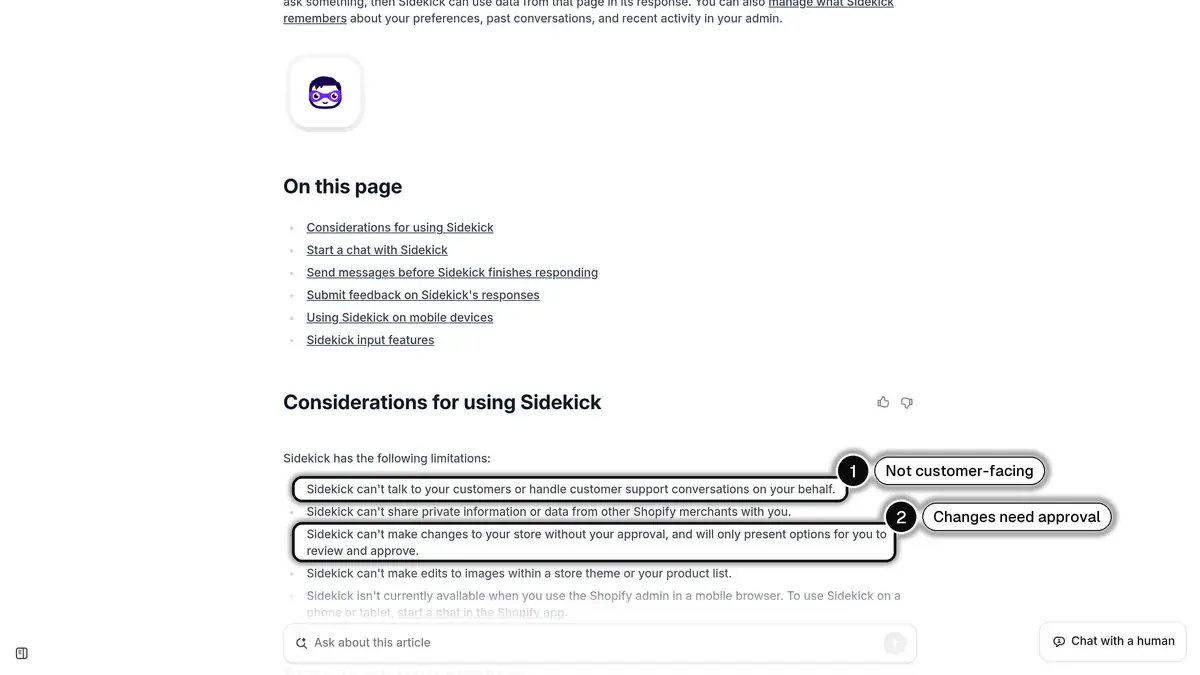 Source: Shopify Help Center, Getting started with Sidekick, read on October 24, 2026.
Sidekick can't talk to your customers or handle customer support conversations on your behalf, and it can't change your store without your approval. Keep both in mind when you plan what to delegate: Sidekick runs the back office, not the conversation with the buyer.
Shopify Sidekick Release Dates: 2023 to 2026
People often ask when Sidekick came out. It arrived in stages:
- July 26, 2023, Summer '23 Edition. Shopify announces Sidekick as an AI-enabled commerce assistant, "available in early access soon".
- 2025, Summer '25 Edition. Sidekick speaks all 20 supported admin languages, uses multi-step reasoning and arrives in the Shopify mobile app.
- December 10, 2025, Winter '26 Edition. Shopify tells developers they will be able to build Sidekick app extensions that let merchants reach an app's data and actions from Sidekick.
- June 17, 2026, Spring '26 Edition. App extensions launch with more than 15 partners, Sidekick is on every screen of the Shopify app through typing or voice, it answers from an Apple Watch, and Sidekick Pulse greets you on a redesigned admin home, per Shopify's Spring '26 announcement.
The same Spring '26 announcement introduced Campaign Autopilot, which runs AI-powered marketing campaigns across Facebook, Instagram, Shop and email within guardrails you set. Shopify announced it in early access.
Sidekick App Extensions: Your Apps Inside the Conversation
The biggest practical limit of any admin assistant is that much of a store's data does not live in the core admin. It lives in apps: your email tool, your reviews, your loyalty program, your returns.
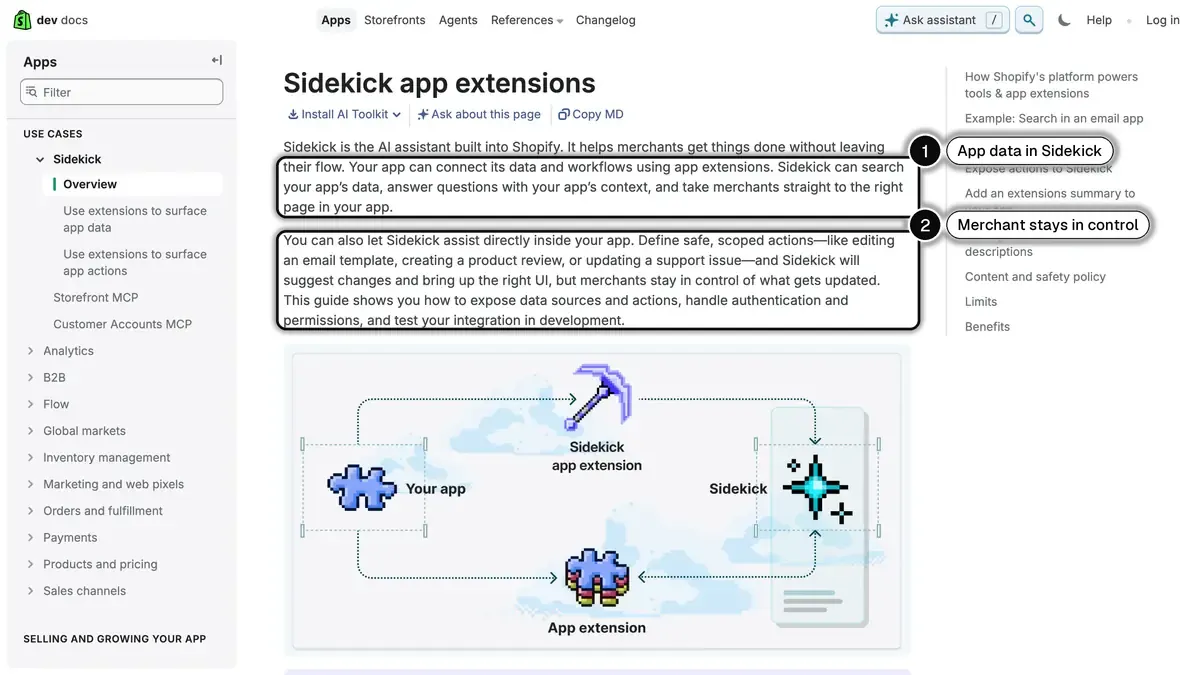 Source: Shopify developer documentation, Sidekick app extensions, read on October 24, 2026.
Shopify's developer documentation describes how they work:
- Data extensions let Sidekick search an app's data and answer with that context, for example campaign performance from your email app or loyalty stats.
- Action extensions define safe, scoped actions, like editing an email template or updating a support issue. Sidekick suggests the change and brings up the right screen, and you stay in control of what gets updated.
- Limits. Sidekick supports integrations with up to 20 apps for each user on a store.
Shopify launched app extensions with more than 15 partners, including Klaviyo, Loop, Smile, Judge.me, Matrixify, Avia, Seguno, Checkout Links and Yotpo. If your store runs on Klaviyo, you can now ask Sidekick about your campaigns and Klaviyo flows without leaving the admin.
An AI Sales Associate on the Storefront
The Spring '26 Edition did not stop at the admin. Shopify also added an AI sales associate to Shopify Inbox, its chat app, which is listed as free on the Shopify App Store. It lives on your storefront, answers buyer questions, suggests products and handles order inquiries using the data already in your admin, and for buyers signed in with Shop it can personalize recommendations.
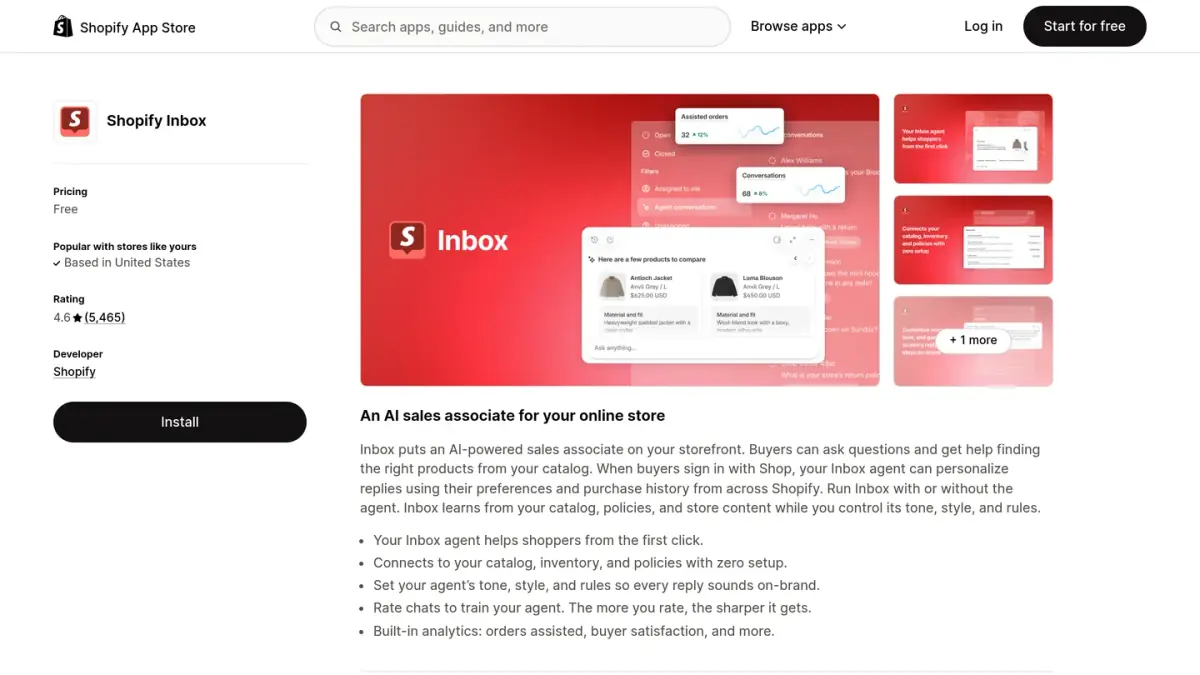 Source: Shopify App Store, Shopify Inbox listing.
This is a different product from Sidekick: Inbox talks to buyers on your website, Sidekick talks to you. For the details and limits of the chat app, see our Shopify Inbox guide.
How an Online Store Uses Sidekick Day to Day
Put together, these releases change concrete moments of a merchant's week:
- Morning check. Ask for today's sales, unfulfilled orders or low-stock products, from the admin or your watch, instead of opening three reports.
- Order fixes. "Change the shipping address on order 1042" or "create a draft order for this customer" becomes one request, approved in one click.
- Catalog work. Product descriptions, images and collections drafted by Sidekick, then reviewed.
- Recurring work. A Shopify Flow workflow built from a sentence, such as tagging customers after their second order.
- App data. With app extensions, campaign or review data from partner apps answered in the same conversation.
What stays outside Sidekick is everything your customers ask you. "Where is my order?" messages, questions before a purchase, replies to an abandoned cart reminder: those conversations need a customer-facing channel. Our guide to ecommerce customer service automation covers what to automate there, and our WISMO guide shows how proactive shipping updates reduce "where is my order" requests. On WhatsApp, Kanal sends those order notifications automatically and follows up on abandoned carts.
A sensible habit while all this matures: treat the assistant's output as a strong first draft. Review what it suggests, especially anything customer-facing or budget-related, the same way you would review work from a new team member.
The Same Idea Outside Shopify: Assistants That Act in Your Tools
Sidekick is not the only assistant that can act inside commerce software. Shopify itself uses MCP (Model Context Protocol), an open standard that defines how AI assistants connect to external tools and data, in its agentic commerce tools: the Spring '26 Edition lists Catalog, Cart and Checkout MCPs for developers building shopping agents.
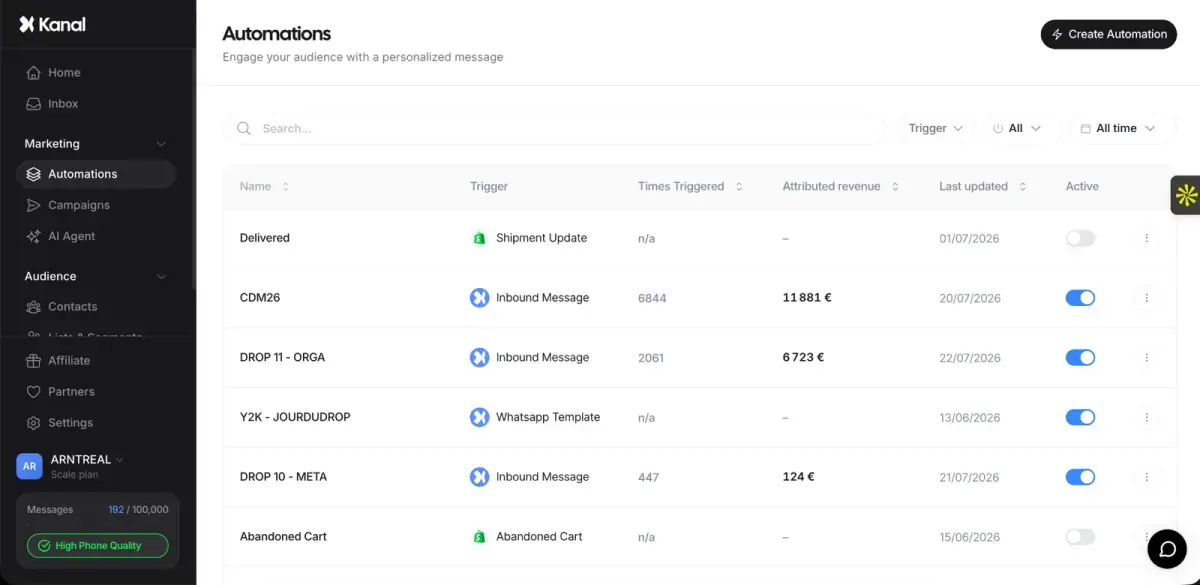
Kanal ships its own MCP server: merchants connect their Kanal account to Claude, ChatGPT, Claude Code, Codex or Cursor and work with their WhatsApp marketing data in plain language. The assistant reads campaign and automation performance, creates segments, builds automations you then switch on yourself, and prepares campaigns that only go out after your explicit confirmation. To be clear, Kanal is not a Sidekick app extension partner; the point is that the same pattern, an assistant that acts in your tools while you approve, is spreading across the stack.
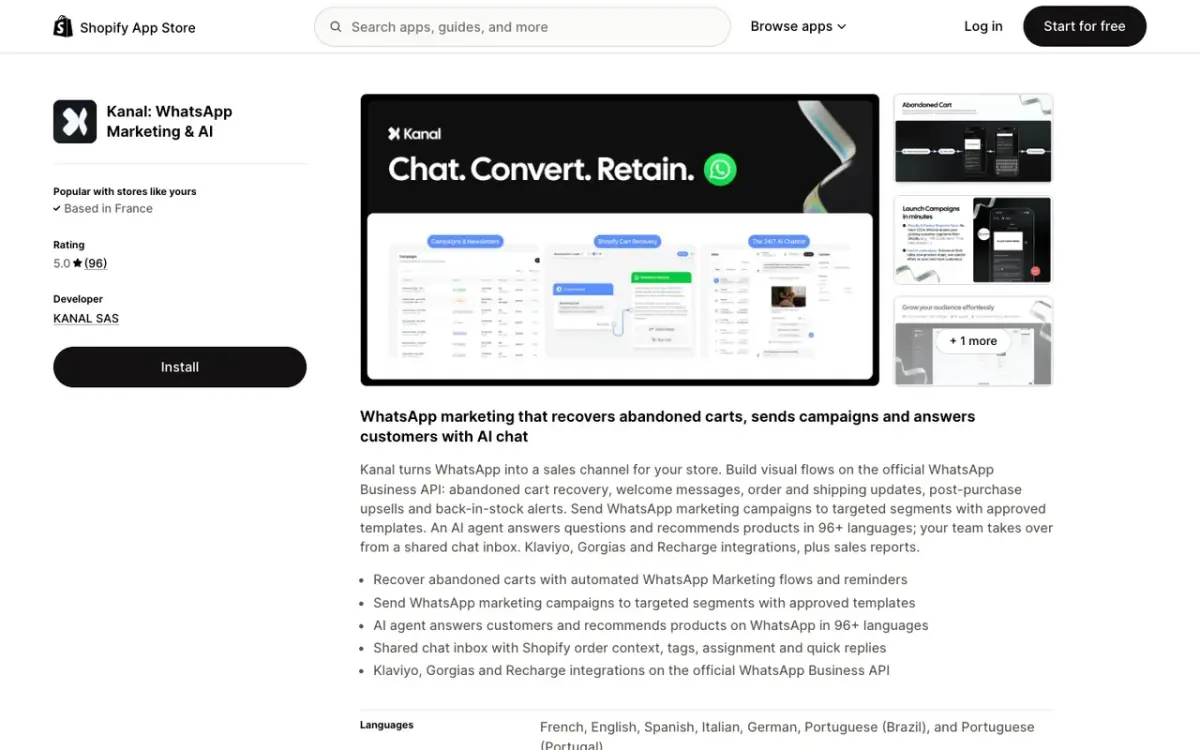
Kanal is the WhatsApp marketing app for Shopify: campaigns, abandoned cart recovery, order notifications and an AI agent, on the channel your customers open every day.
An Assistant for You, an Agent for Your Customers
There is a useful distinction hiding in all these announcements. Sidekick is an assistant for the merchant: it helps you run the store. By Shopify's own description, it does not answer the customer who messages you on WhatsApp at 11pm asking if the black variant ships before Friday.
That side of the business needs a different kind of AI: a customer-facing agent on a conversational channel. This is exactly what a WhatsApp AI agent does. Trained on your catalog and policies, it answers product questions, recommends items and handles the repetitive volume of WhatsApp customer support for Shopify stores, around the clock and in the customer's language.
The two trends compound rather than compete. Internal AI removes friction from operating the store; customer-facing AI removes friction from buying. A merchant using Sidekick to move faster in the admin and a WhatsApp chatbot to automate ecommerce conversations is applying the same idea on both sides of the counter.
If you want to see the customer side in action on your own store, book a Kanal demo and watch an AI agent answer real product questions on WhatsApp.
Conclusion: Learn the Assistant, Then Extend It
Shopify Sidekick has moved from a 2023 announcement to a core part of the admin: available on every page, in the Shopify app and on your watch, speaking your admin's language, building workflows and reaching into partner apps through app extensions. Campaign Autopilot hints at the next step, where the AI does not just advise but runs campaigns within your guardrails.
The practical takeaway for 2026 is twofold. First, build the habit of asking Sidekick before digging through menus; it comes with your plan, and fluency with it saves time every day. Second, look at where the same pattern applies beyond the admin. AI that acts in your tools while you approve, and AI that talks to your customers on channels like WhatsApp, are two halves of the same shift.
Resources
See Kanal on your own store
- Your campaigns and cart reminders on WhatsApp, starting from your own store
- Post-purchase offers, back-in-stock alerts, then the AI agent that advises your customers
- You leave with the plan that fits and its price
From €89/month
- brands
- 500+
- to set up
- 5 min
- open rate on WhatsApp
- +90%
Nicolas helps e-commerce brands grow revenue with WhatsApp marketing. With deep expertise in Shopify ecosystems and conversational commerce, he shares proven strategies for abandoned cart recovery, broadcast campaigns, and AI-powered customer engagement.